If you have already enabled Hiya (through the phone's Settings> Phone> Call Blocking and Identification), then our spam lists will update in the background.
Our most recent version of the app now removes the Badge App Icon as it is no longer needed.
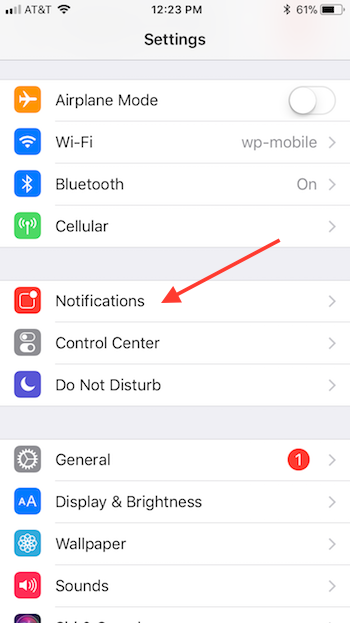
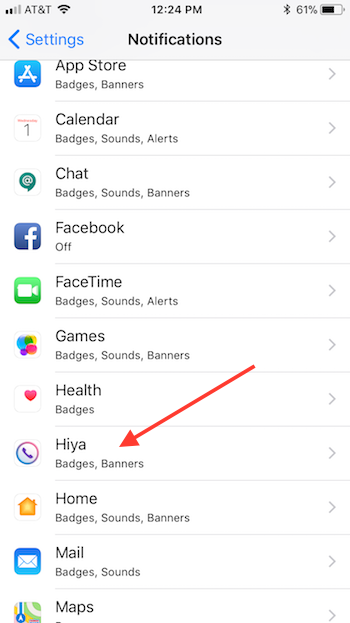
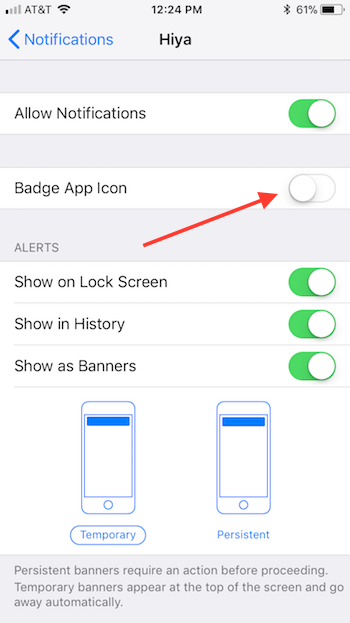
If you are still on the older version you can turn off the Badge App Icons with the steps below:
Anytime the spam list updates, you will receive a badge notification on the Hiya icon. This is to let you know that it’s working and updating. If you prefer not to see this, you can disable badge icons in your Settings (the spam lists will still continue to update, you just won’t be notified as such).
To disable badge icons follow these steps: Go into your settings for the iPhone itself. Go to Settings> Notifications> Hiya> and then disable “Badge App Icon.”